
Le développement de Divi 5 marque un tournant majeur dans l’évolution du constructeur visuel. Parmi les nouveautés les plus attendues : la possibilité d’ajouter des lignes à l’intérieur d’autres lignes, sans limite de profondeur. Une avancée qui change la donne pour les concepteurs de sites en quête de flexibilité.
Regardez 👇
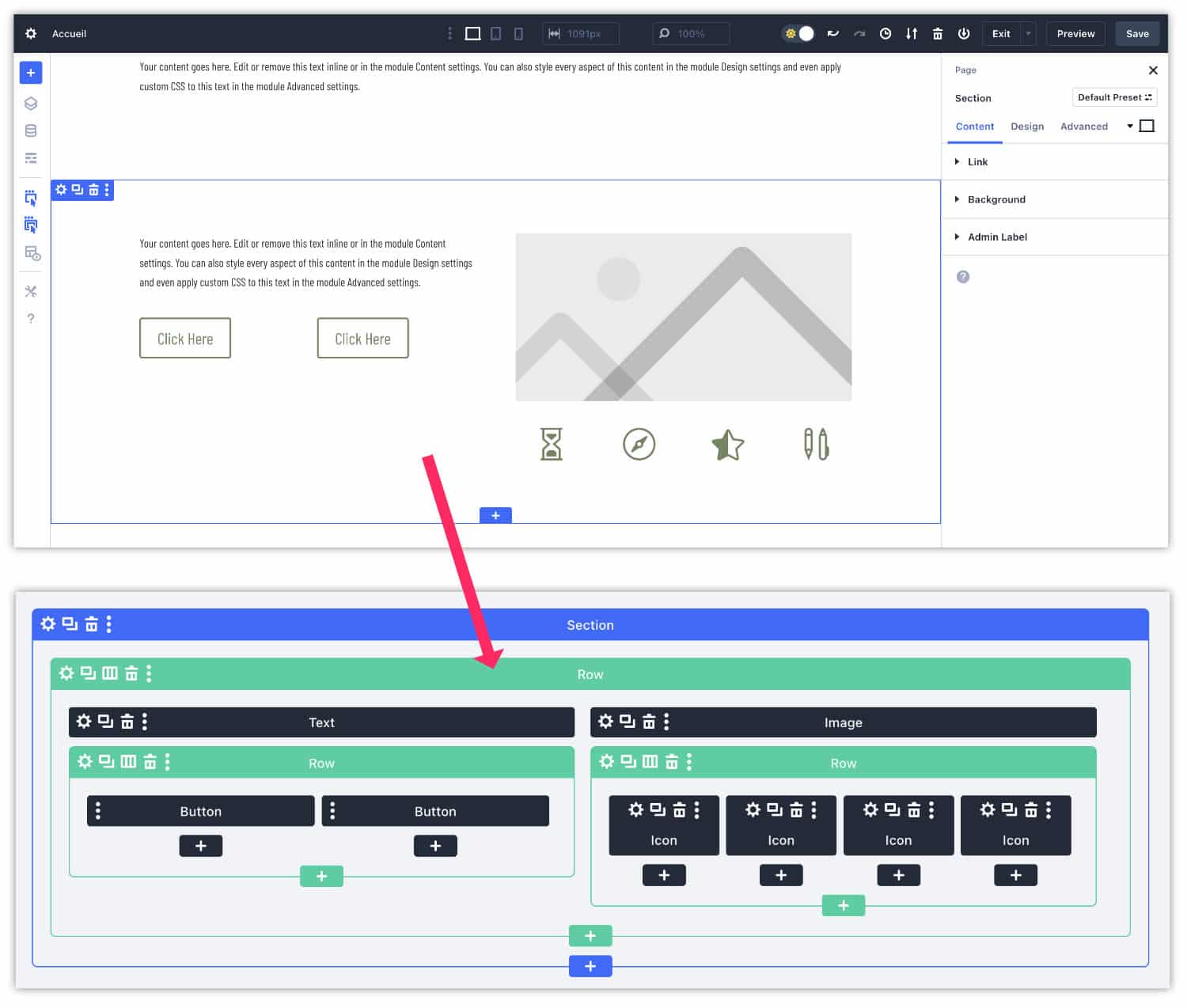
🤩 In this tutorial, I show you what it is possible to do and how it works... Spoiler alert: it's a child's play!
Adieu les contraintes, bonjour la liberté de structuration !

So far, the creation of complex layouts in Divi was done through "speciality" sections (orange sections), often rigid and limited.
Very few templates were available... Or, you had to "trap the code" to create the design you wanted...
Avec Divi 5, cette époque est révolue ! Grâce à l’abandon de l’ancien système basé sur les shortcodes, vous pouvez désormais construire des mises en page aussi sophistiquées que vous le souhaitez en imbriquant librement les lignes entre elles.
Need more resources on Divi? Visit ElegantThemes blog full of ideas and tutos! Or learn how to effectively use this theme through my training Divi !
Lignes imbriquées : comment ça fonctionne ?
Inside a column, the black "+" icon always adds the module of your choice... But the big new thing is that you can now add either a module or a new line in which you will add modules (or lines)!
Ce processus peut être répété à l’infini : une ligne peut contenir une autre ligne, qui en contient une autre, et ainsi de suite. Ce fonctionnement ouvre la porte à des structures de pages dynamiques et sur mesure.
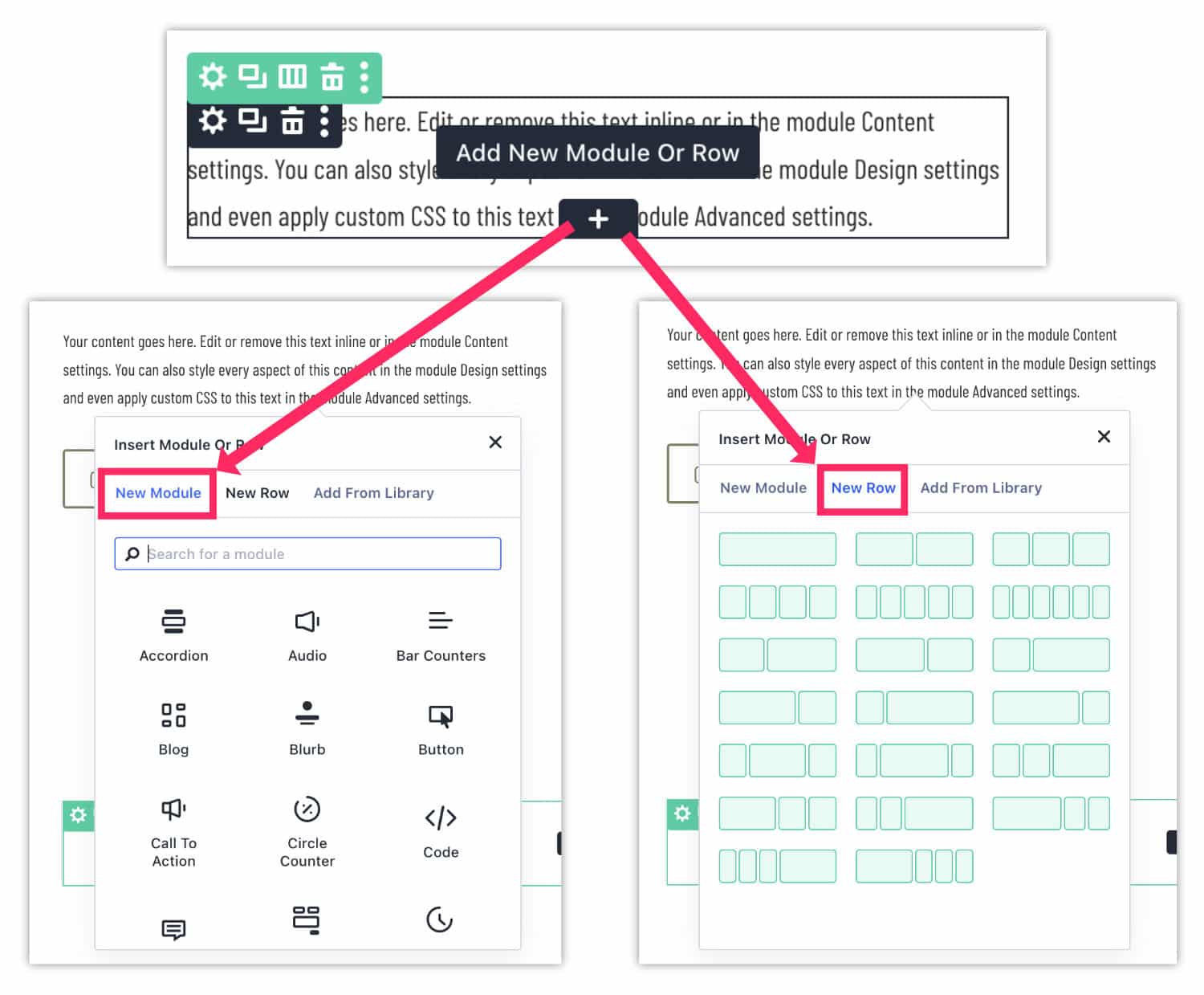
To add a new line in a line, just click on the "new row" tab and choose its structure: a play, as I told you!
De nouvelles options de taille pour les colonnes
Autre amélioration notable : les colonnes gagnent en souplesse. Il est désormais possible d’ajuster leur largeur et leur hauteur, directement depuis l’onglet Style > Dimensionnement (Design > Sizing).
If you open the parameters of a column, you will notice that the Dimensioning tab is not present in Divi 4, unlike Divi 5.
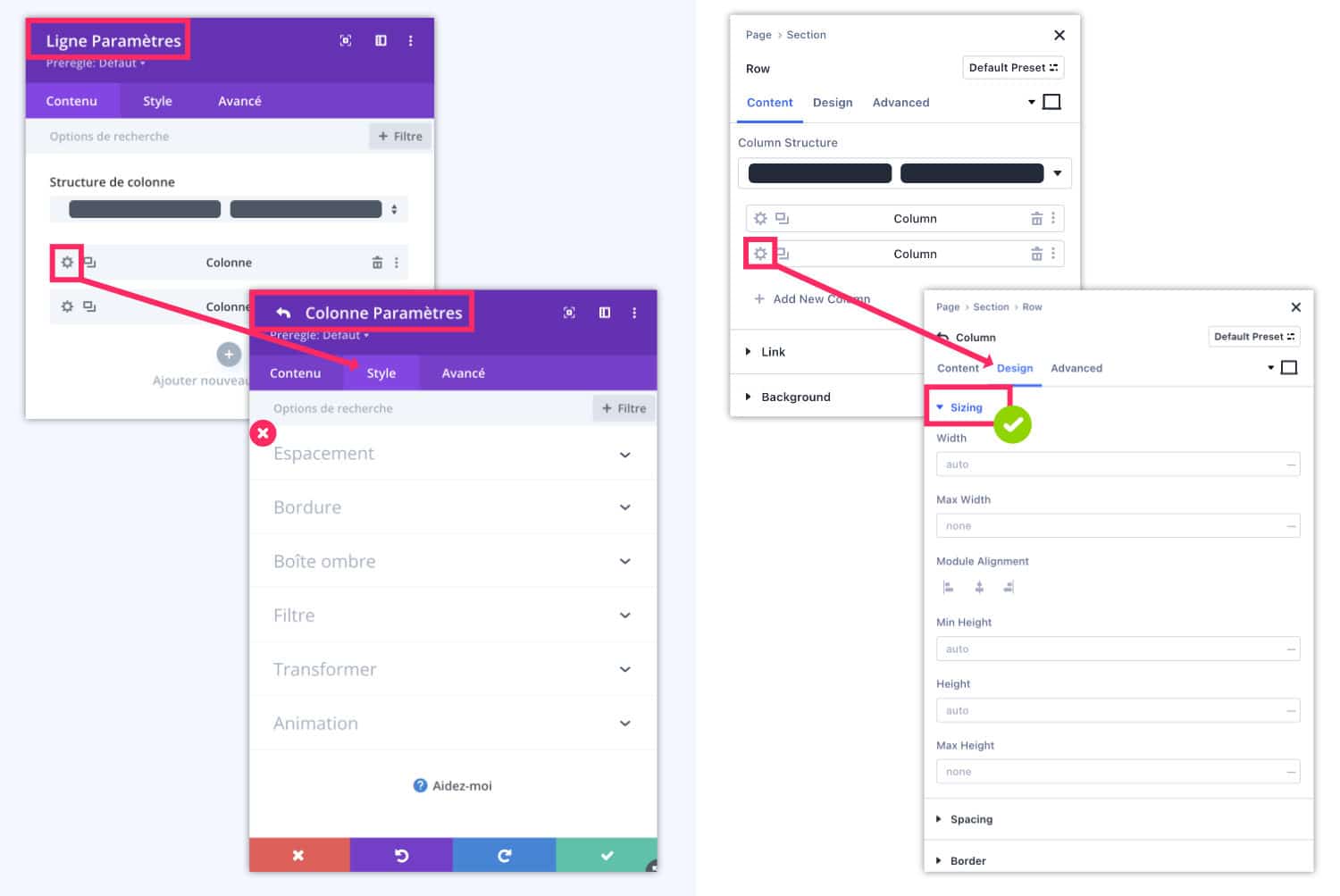
Combinée à la flexibilité des lignes imbriquées, cette fonctionnalité offre une liberté totale dans l’organisation de vos mises en page !
Lignes imbriquées : un pas vers une mise en page Flexbox
L’arrivée des lignes imbriquées n’est qu’un début. Divi 5 prévoit d’intégrer prochainement un système de mise en page basé sur Flexbox, which will further simplify the management of alignments, display orders and responsive. In the long run, this will make the "speciality" sections obsolete and significantly reduce page structure.
👉 Read the full article on Elegant Themes
Le saviez-vous ?
You can already use Divi 5 on your new projects! Indeed, it is not recommended to migrate a site from Divi 4 to Divi 5 until the Beta phase is completed. However, ElegantThemes indicates that you can already use Divi 5 on your new site projects. That's good news!


0 commentaire